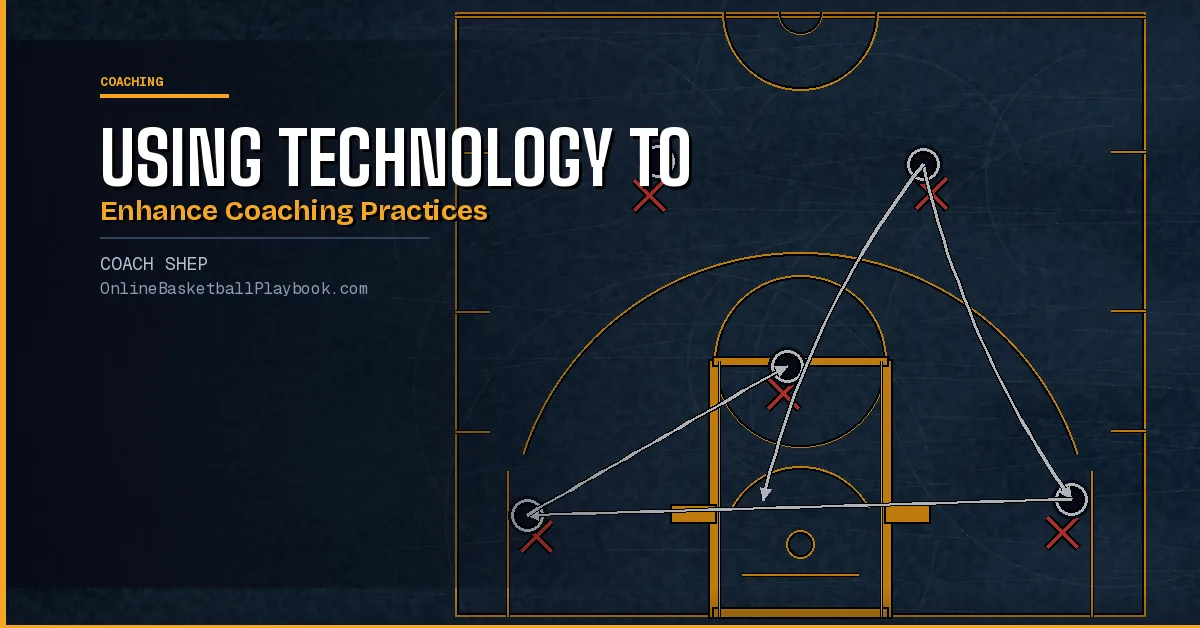
Technology has changed what coaches can see, measure, and teach. The right tools help you give every player faster, more specific feedback without adding complexity to your practice plan.
Video Review That Players Actually Learn From
Video has always been a coaching tool. The difference now is access and speed. A clip that once required a VHS rewind and a projector cart now lives on a phone and can be pulled up at halftime, after a drill, or sent directly to a player's device before the next practice.
That immediacy is the real value. Research on motor learning consistently shows that feedback is most effective when it lands close in time to the performance. A correction delivered during a timeout or right after a rep hits differently than one delivered three days later in a film session. Technology compresses that gap.
Apps like Hudl, Synergy, and Coach's Eye let you tag clips, draw on them, add voice notes, and share them in seconds. At the youth and high school level, even simpler tools (a phone camera and an iCloud shared album) can serve the same function. The tool is not the point. The habit is the point.
The most effective approach: film one or two specific skills per practice rather than trying to capture everything. Pick the skill you spent the most time on that day. Pull three or four clips, one strong rep and one or two teaching moments. Keep the film session under ten minutes. Players lose focus fast, and so does the learning value.
Youth basketball research from Ashworth's coaching framework makes the point directly: use video even with younger players. Kids love seeing themselves, and corrections land far better when paired with visual proof. A coach saying "your shooting elbow was out" lands as opinion. A three-second clip makes it a fact the player can act on.
Data and Tracking Tools Worth Your Time
Shot tracking, sprint timing, and player load monitoring used to belong to professional and college programs. Many of those tools have dropped in cost dramatically, and some of the most useful data requires nothing more than a spreadsheet and a consistent process.
The first thing worth tracking for any program is shooting by zone. Every make and miss logged by location, and by which player, tells you where your offense is actually scoring versus where you design plays to score. That gap is usually where your offense needs the most work. You do not need a dedicated shot-tracking device to collect this data. A manager or assistant coach with a clipboard and a simple chart can capture it game by game.
At a more advanced level, apps like FastModel Sports, HomeCourt, and Catapult allow you to track player movement, shot arc, sprint distance, and even jump height over time. These tools are genuinely useful for identifying fatigue, monitoring development, and making practice loading decisions. They work best when a single person on the staff owns the data collection and interpretation. A coach who glances at numbers once a month gets far less out of tracking than one who reviews it weekly and adjusts practice accordingly.
For youth coaches, the most powerful data is also the simplest: track two or three specific skills per player across a season. Can the player make five consecutive form shots from six feet? Can they complete a cone-slalom dribble with their weak hand without losing control? Logging those benchmarks every few weeks does two things. It shows players concrete progress, which builds confidence. And it forces the coach to hold the program accountable to actual skill development rather than win totals.
Digital Practice Planning and Organization
Practice planning is the skill that separates effective coaches from busy ones. The best coaches walk into the gym with a written plan: a sequence, a time allocation for each drill, a teaching point for each segment, and a clear goal for the session. Technology makes that planning faster, more searchable, and easier to share with staff.
Tools like FastModel, Canva, and even Google Docs let you build a play library, share diagrams with assistants, and build practice plan templates you can reuse and adjust. Instead of rewriting your ball-handling progression from scratch each week, you build it once, refine it, and iterate. Over three seasons, you accumulate a library of tested plans you can pull from instantly.
The planning principle from the Canada Basketball LTAD framework is useful here: load one drill instead of switching to a new one. Start with the basic version, then add complexity in place: add defense, add a constraint, add a second ball. This principle is hard to execute without a written plan, because in the chaos of a live practice, coaches default to switching drills when players struggle instead of adjusting the current one. Writing the progression out in advance keeps you on track.
Calendar tools and team management apps like TeamSnap or SportsEngine handle the organizational side: practice schedules, game schedules, attendance tracking, and parent communication. These are not glamorous, but the time they save on administrative back-and-forth is real. A single shared calendar that parents can subscribe to eliminates most of the "what time is practice?" message threads that eat into a coach's preparation time.
Technology for Building Team Culture
Culture is built through what you repeat. Technology is a powerful repetition tool. It extends the reach of your coaching voice past the gym and into the week between practices.
Team communication apps like GroupMe, Band, or a private Slack channel let you send a focus word before each practice, share a short clip of a player making a great play, or post a team challenge for the week. These are small things. The cumulative effect is a team that thinks about basketball more than sixty minutes at a time, and a coach whose voice carries more weight because it shows up consistently.
Video highlights are underused as a culture tool. Cutting a two-minute highlight reel of your team's best defensive plays from the last three games and showing it at the start of a defensive practice communicates something no whiteboard speech can: your team is good at this. Pride in collective performance motivates more than abstract praise.
One caution: technology should reinforce culture, not replace the in-person habits that build it. The shout-out circle at the end of practice, the individual conversation after a tough game, the parent meeting before the first practice. None of those can be delegated to an app. Ashworth's youth coaching framework describes five roles of a youth coach: teacher, confidence-builder, culture-shaper, leadership example, and facilitator of fun. Technology helps you perform those roles more efficiently. The performance itself still requires presence.
How to Integrate Tech Without Losing the Human Side
The most common mistake coaches make when adopting new technology is using it as a replacement for coaching judgment instead of a support for it. A player's sprint time tells you something. It does not tell you whether the player is holding back because of fatigue, fear, a conflict with a teammate, or a bad night's sleep. The coach is still the instrument with the most resolution.
A few principles worth building around: introduce one tool at a time. Pick the thing that solves your most immediate problem (whether that's video feedback, shot tracking, or practice organization) and use it consistently for a full season before adding another layer. Coaches who try to implement five new systems at once usually end up using none of them well.
Keep the technology player-facing whenever possible. A film session where the coach talks at a screen for forty minutes is a monologue with clips. A film session where players are asked "what do you see here?" and "what would you do differently?" is a conversation. The technology should provoke player thinking, not replace it.
Also consider the age you are coaching. With younger players, the most powerful technology in your toolkit is a phone camera and a simple tracking sheet. The sophisticated analytics tools have diminishing returns with players who are still learning to dribble with two hands. Match the tool to the developmental stage. Complexity costs attention, and at youth levels, attention is the scarcest resource you have.
Building a System That Lasts
Technology choices compound. A coach who builds a clean video library over three seasons has a recruiting asset, a development record, and a teaching library that a new hire can learn from. A coach who films sporadically and stores nothing useful has a hard drive full of disconnected clips.
The goal is to build systems that survive personnel changes, season turnover, and the inevitable moments when you do not have time to be systematic. That means: standardized naming conventions for files, a shared folder structure the whole staff can navigate, and a regular rhythm for reviewing data rather than saving it all for the end of the season when it is too late to act on it.
Start with the output you care most about. If your goal is player development, your system should make it easy to track individual skill progression over time. If your goal is game preparation, your system should make it easy to build opponent film packages quickly. Build backward from the output, not forward from the tool.
The coaches who use technology most effectively are not the ones with the most tools. They are the ones who picked a small number of tools, used them consistently, and kept the player relationship at the center of everything. The numbers and the clips and the apps are all serving that relationship. When they stop serving it, you put them down.
Before adding any new technology to your program, ask yourself: does this make feedback faster, planning easier, or player development more visible? If the honest answer is no, the tool is a distraction. Pick one thing that solves a real problem, use it every week for a full season, and evaluate before adding the next layer.
- Film one specific skill per practice: Not everything. Pick the drill you spent the most time on and pull three or four clips for a focused ten-minute review session.
- Track two or three measurable skills per player: Log them every few weeks so players can see concrete progress, not just hear encouragement.
- Build a reusable practice plan library: Write your progressions once, refine them each season, and you will walk into every practice with a tested plan instead of a blank page.
- Use team communication apps for culture, not administration: Send a focus word before practice, share a highlight clip, post a challenge. Small consistent touches extend your coaching voice through the week.
- Introduce one tool at a time: Coaches who try to implement five systems at once end up using none of them consistently. One tool used well beats five tools used poorly.
Want more basketball coaching strategies and drills?
Join the Online Basketball Playbook newsletter →
Draw this play free in the play drawer →
Membership: the full library, playbook packs, and Pro drawing tools →
Keep Building
Related breakdowns
Fun Basketball Games for Practice: Scored Games for Any Team
Fun basketball games for practice at any level: shooting games, defense-only scoring, rebounding contests and passing games, with scoring rules and records.
Basketball Conditioning Drills for Teams: Runs, Games and Tests
Basketball conditioning drills in three styles, timed runs, conditioning inside skill drills and scored games, with the tests and yearly plans coaches use.
Basketball Agility Drills: Cone, Reaction and Ladder Drills
Basketball agility drills from timed cone tests to reaction, mirror and ladder drills and defensive circuits, with schedules and where coaches differ.