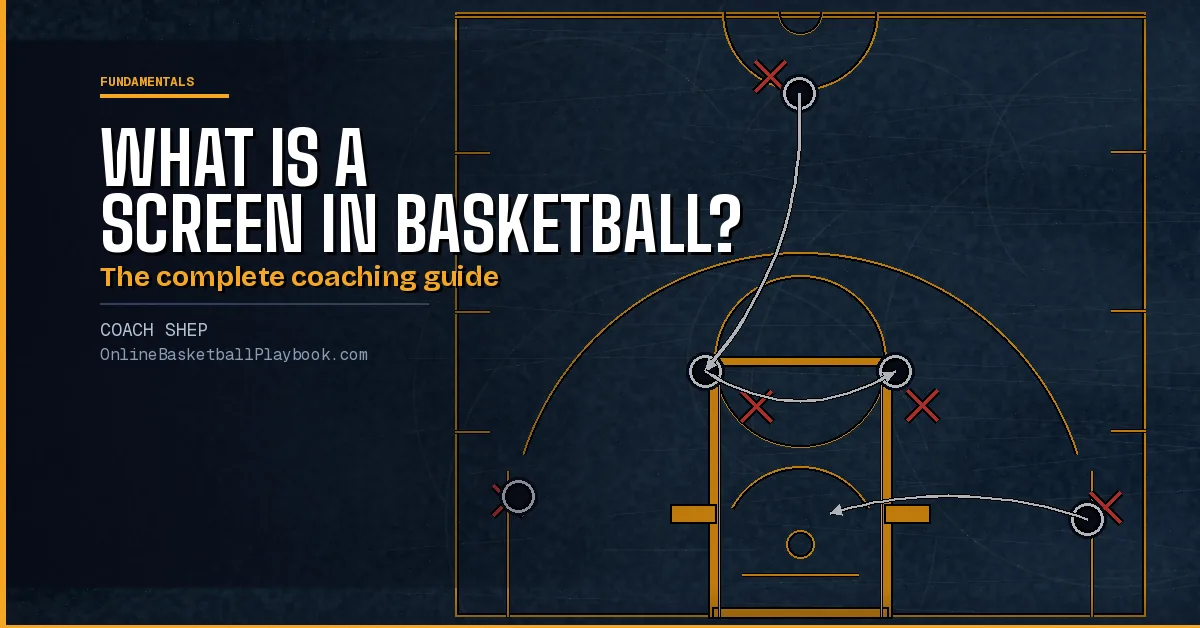
A screen, also called a pick, is when one offensive player uses their body to legally block a defender and free a teammate for an open shot or drive. It is the basic building block of every motion offense.
What a Screen Is (and What It Isn't)
A screen, sometimes called a pick, is a legal offensive action where a player stands stationary and uses their body to impede a defender, creating an open path or open catch for a teammate. The screener is not blocking the defender's vision. They are blocking their movement.
The key word is stationary. A screen is legal when the screener establishes their position before the defender arrives and does not move when contact is made. The moment the screener moves into a defender who is already there, the screen becomes illegal and the official calls either a moving screen or an illegal screen foul.
Screens appear on almost every offensive possession in basketball, from youth games to the NBA. They are used to free shooters, create driving lanes for ball handlers, open post catches for bigs, and run the pick-and-roll (the most common two-man action in the modern game).
"How can I get one of my teammates open?" The right attitude frame for every screener, before worrying about technique.
Gary Petrin, AVCS Basketball, Basics of Setting Screens
Teaching this attitude before teaching mechanics makes a dramatic difference. Players who understand why They are setting a screen to create an opportunity for someone else. Commit to the screen with their whole body. Players who see it as incidental body traffic set screens with their elbows and get nothing.
How to Set a Legal Screen: 5 Steps
Every legal, effective screen follows the same five-step sequence. Teach these as a checklist, not just as a concept:
- Signal. Call the teammate by name or use a non-verbal signal. The screener always initiates. The user needs to know the screen is coming so they can time their V-cut.
- Jump stop into position. Land with both feet planted, one full step away from the defender's position. Arrive before the defender can adjust.
- Stay stationary. Feet stop completely. Do not lean, reach, or step into the defender. Any movement when contact is made = a foul.
- Seal the defender. After the user rubs off, pivot on the right foot and swing the left foot around so the defender is sealed on the screener's back. The screener should end facing the ball.
- Look for a pass. Get immediately into a scoring position. The screener who seals well is often the most open player on the floor. The defense has just switched or collapsed, and the screener's defender is late.
How to Use a Screen: 4 Steps
Setting a great screen is worthless if the user does not use it correctly. The user's job is equally teachable:
- Make eye contact with the screener. Confirm the screen is set and coming. Don't sprint into a screen that isn't ready.
- V-cut to set up the defender. Take one or two steps in the opposite direction of the screen to pull the defender off balance, then change direction sharply into the screen.
- Turn the defender into the screen. Drive the defender directly into the screener's body. The goal is contact between defender and screener, not a polite pass-by.
- Rub off the screener's shoulder. Pass through as close as physically possible (shoulder-to-shoulder, hip-to-hip). Hands ready to catch. Any gap between you and the screener is a gap the defender can recover through.
"Read the defender." If the defender trails the screen (chases behind), the user curls to the basket. If the defender goes over the top, the user fades to the corner or flares for a jump shot. If the defender gets caught flat-footed, the user cuts directly to the basket. Three reads, one screen. Teach the read, not just the action.
Types of Screens Every Coach Should Know
Basketball uses screens in two broad categories: on-ball screens and off-ball screens.
On-Ball Screens (Ball Screens / Picks)
A ball screen: Also called a pick-and-roll when the screener rolls to the basket, it is set directly on the ball handler's defender. The ball handler uses the screen to turn the corner and attack the basket, while the screener rolls or pops for a catch.
Ball screens appear in almost every half-court offense in modern basketball. The pick-and-roll between a guard and a big is the most common two-man action from youth basketball through the NBA.
Off-Ball Screens
Off-ball screens are set away from the ball to free a shooter or cutter. Common types include:
- Down screen (pin-down): A player higher on the floor screens downward for a teammate coming off the baseline.
- Back screen: A player cuts from the perimeter and screens for a teammate posting up or cutting baseline. This often creates a direct backdoor layup opportunity.
- Flare screen: A screen set to free a player cutting away from the ball toward the corner for a three-point shot.
- Stagger screen: Two screeners set screens in sequence for one shooter. The combination gives the shooter two chances to get open.
- Elevator screen: Two players set parallel screens and open like elevator doors as a shooter passes between them, which creates a clean catch-and-shoot opportunity at the top of the key or on the wing.
Most motion offenses chain 3–4 of these in sequence rather than running a single isolated screen. The defense must read and react to each one, and mistakes compound.
What Makes a Screen Illegal
Two terms coaches and players hear constantly:
Illegal Screen
A general call for any screen that violates the rules. Most commonly: the screener is still moving when contact occurs, or the screener extends a hip, arm, or elbow to impede the defender beyond their body footprint. Officials call this on the screener, and it is an offensive foul.
Moving Screen
A more specific term for when the screener's feet are still in motion when the defender makes contact. It is the same foul as an illegal screen in outcome (an offensive foul on the screener), but the term emphasizes the footwork failure specifically. Teach players: feet stop first, then body contact.
At the youth and high school level, moving screens are called primarily when the screener is obviously in motion and the contact is flagrant. At the college and NBA level, referees allow more incidental contact but will call the screen when a screener clearly initiates the contact by moving into the defender. The standard is consistent: the screener must be established and stationary.
The screener has the right to any position on the floor they reach first. If the screener arrives at a spot before the defender and stops, it is a legal screen regardless of how close it is. If the defender is already in that space, the screener must give them enough room to stop, roughly one step. Contact that occurs because the defender couldn't avoid the screen in time is called on the screener.
The 3 Most Common Screening Mistakes
These three mistakes account for the majority of illegal screen calls and wasted screen opportunities:
- Screen not set properly / screener doesn't seal. The screener makes contact but does not pivot and seal, so the user gets no advantage and the screener is not a threat. The screen accomplishes nothing except risking a foul.
- The ball handler leaves before the screener is set. The most common youth basketball mistake. The user cuts before the screener has established position. The defender easily goes around the still-moving screener and recovers. Patience and timing. The user must wait for the screen to be set.
- Off-ball players don't clear. Other players standing in the lane or near the action allow their defenders to slide over and help. Three players watching the pick-and-roll is three extra defenders in the paint. Motion offenses require all five players to move. Spacing is not optional.
How to Teach Screens to Your Team
The mistake coaches make is introducing a motion offense (5-out, flex, blocker-mover) before their players can set a legal screen. Teaching screening before motion offense is the correct sequence:
Step 1: Teach the screener's checklist first. Walk through all 5 steps without a defender. Players practice the jump stop, stationary position, and seal pivot in pairs before any speed or competition.
Step 2: Add the user's checklist. Pair each screener with a user and run the V-cut → rub-off sequence at walking speed, emphasizing shoulder contact. No ball yet.
Step 3: Add a passive defender. The defender follows the user at 50% intensity. The user practices reading the defender (curl vs. fade vs. cut) based on how the defender moves.
Step 4: Add a ball and competition. Run 2-on-2 or 3-on-3 screening actions at game speed, live defense. Coaching cue: screeners who seal well and get open should get the ball immediately, and they learn that a good seal earns them a shot, not just a pat on the back.
Step 5: Chain the screens. Once individual screens are correct, run sequences: down screen → back screen → flare. Players learn to read each defender in sequence rather than waiting for one designed action to "work."
- Screen rule: Feet stop before contact. Any movement = moving screen.
- Seal rule: Right foot pivot, left foot swings around, end facing the ball, every time.
- User rule: V-cut first, then rub shoulder-to-shoulder. Any gap = the defender can recover.
- Read rule: Defender trails → curl. Defender goes over top → fade/flare. Defender stuck → straight cut.
- Team rule: All five players move. Spacing kills help defense.
Get free play diagrams, drills, and coaching guides delivered to your inbox.
Draw this play free in the play drawer →
Membership: the full library, playbook packs, and Pro drawing tools →
Keep Building
Related breakdowns
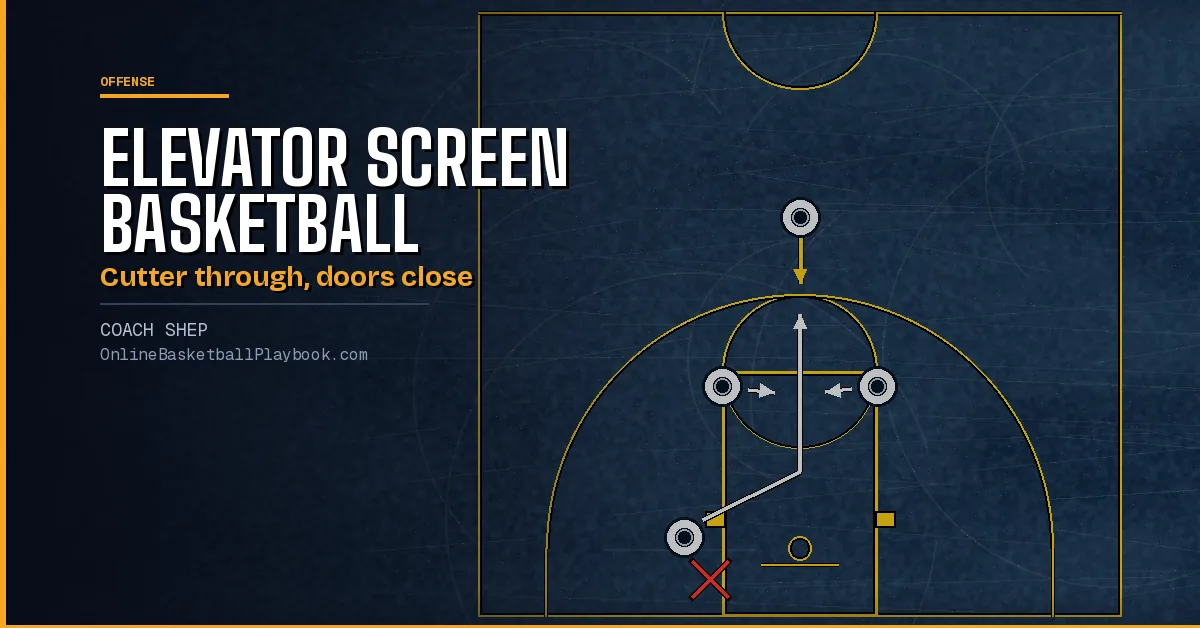
Elevator Screen Basketball: How It Works, Plays and Counters
Elevator screen basketball explained: how two screeners close on a cutter, the plays that use it, how to time it legally, and the counters when the defense reads it.
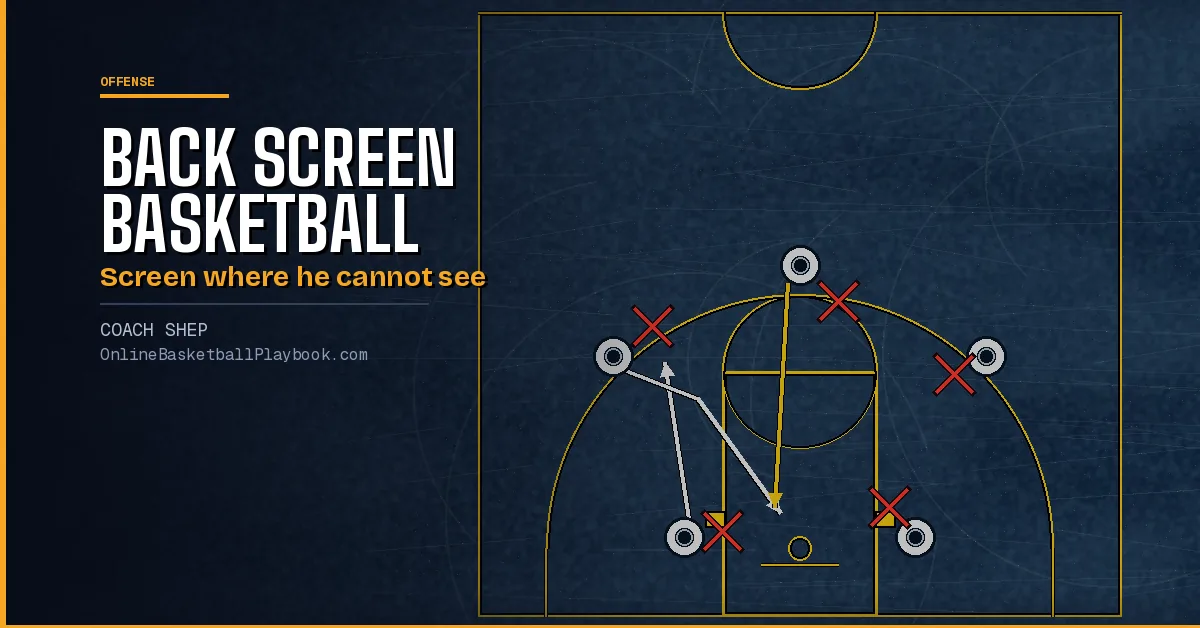
Back Screen Basketball: How to Set, Use and Defend It
Back screen basketball guide: what a back or rip screen is, setting it legally, the cutter's and screener's reads, the UCLA cut, chained actions and defending it.
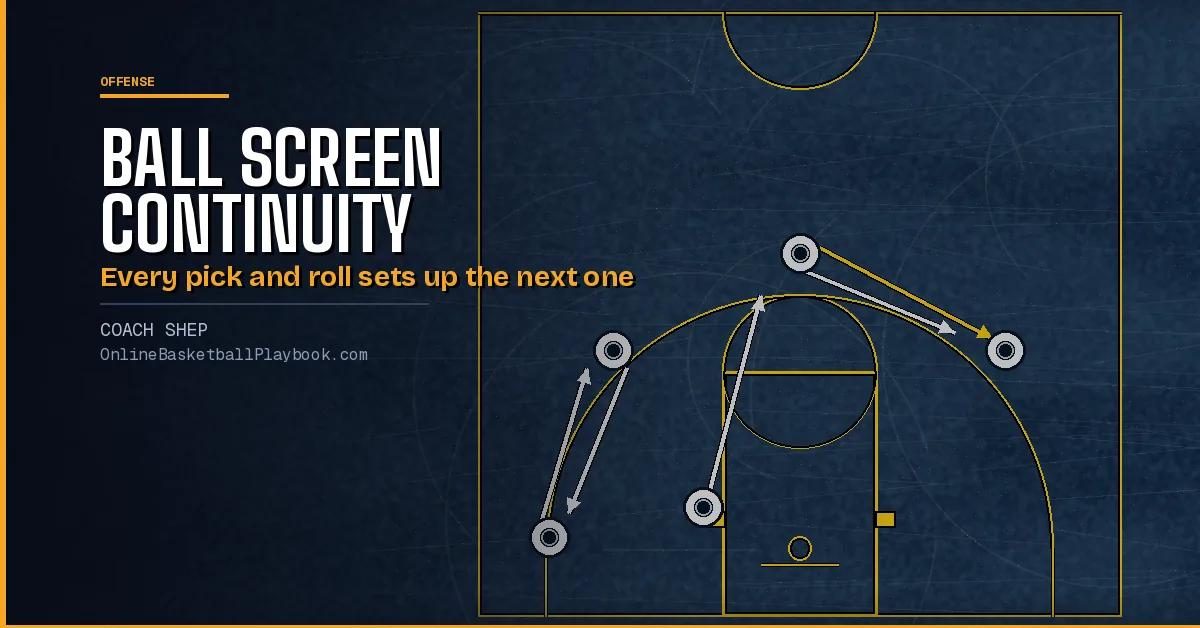
Ball Screen Continuity Offense: Pick and Roll Rules and Reads
Ball screen continuity offense in full: the 4-out and two-big engines, reload rules, spacing, angles, reads, counters, Spain, Ram, double drag and zone sets.