A basketball play creator should let you sketch a set in minutes, show every step to your staff, and hand players a clean diagram or clip without a design degree. PlayDraw on this site is that free play designer: open the court, place players, add passes, cuts, dribbles and screens across steps, then keep what you need for practice or film review.
What this play designer includes
Steps and animation
Build a play step by step, with one action in each step. Press Play to run the steps before you keep the play.
Court and symbols
Half or full court, high school, college, NBA or FIBA lines. Standard cuts, passes, dribbles, screens and handoffs match the teaching key on how to read a play diagram.
Free exports
Tap Keep this play and enter your email. You get a PDF with every step and a picture of the court. Copy the picture into a text, or save a multi-step play as a GIF or a video sized for Instagram.
Library hook-up
Hundreds of drawn sets live in the play library. Open any play in PlayDraw to tweak spacing, rename the play or add a counter for your team.
From library page to your edit
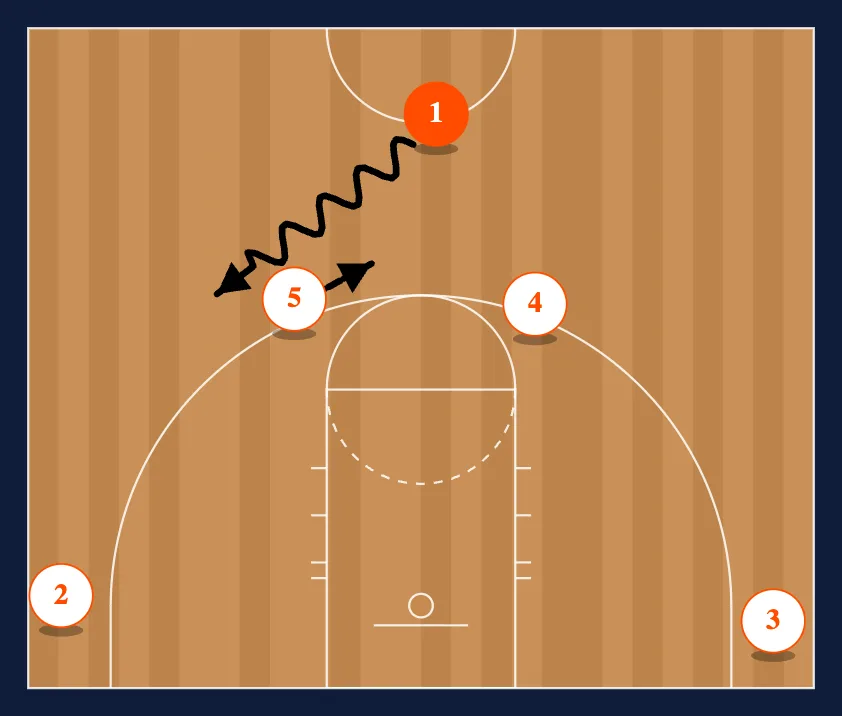
Pick a set that is close to what you run. On the play page, tap Open in PlayDraw. The editor loads that play so you can change a screen angle, add a second option or rename the play for your playbook.
Try it on Horns Lift 1 or search horns, ball screen or BLOB inside the library.
PlayDraw vs a paid play app
PlayDraw keeps drawing and exports free on the web. This table compares it with one leading paid app, as of October 2026. Paid playbook PDFs on this site are separate one-time products on playbook packs, not a monthly tool fee.
| Feature | PlayDraw (free on this site) | One leading paid app |
|---|---|---|
| Start drawing | Open /draw/ with no account | Account required to save |
| Animated export | GIF and video after you enter your email, with our site address on the picture | Video carries a watermark on the free plan |
| Printable PDF | Emailed to you | Free |
| Saved plays | One play at a time, Pro app for a full library | 5 free, then plans from $10 a month |
| Prebuilt plays | 500+ library pages open in the editor | 125 animated plays |
A simple play creator workflow
- Starting spots. Place the five players and the ball.
- One action per step. Pass, cut, screen or dribble, then add a step for the next action.
- Play it back. Run the steps in PlayDraw before you keep the play, so the timing looks right in the GIF or video.
- Share. The picture for a group text, the GIF or video for film, the PDF for the practice plan. Need a fast sketch instead? Use Napkin mode.
The full symbol walkthrough lives on how to draw basketball plays and basketball court diagrams if you prefer paper first.
PlayDraw Pro app
The web tool is the free play creator. PlayDraw Pro (mobile app, in development) adds a saved library, series, import from PDF, studios and branding. Sign up on the PlayDraw page for a founder's discount when the app is released. Playbook PDFs for zone attack, press break, out of bounds and more stay on the pack shelf as one-time downloads.
Questions coaches ask
Is the basketball play creator really free? Yes. Drawing, steps, the PDF, the picture, the GIF and the video are all free. We ask for your email so we can send you the play.
Do I need an account? No account is required to draw. The drawer holds one play at a time and nothing is saved on this site, so email yourself a play to keep it.
Can I edit a play from the library? Yes. Open the play and choose Open in PlayDraw, or use a link like /draw/?play=man-offense-horns-lift-1.
What is the difference between PlayDraw and PlayDraw Pro? PlayDraw is the free web play designer. PlayDraw Pro is the upcoming app that saves your plays and imports a play from a PDF or a screenshot.
Related: basketball plays, quick hitters, simple basketball plays, how to read a play diagram, free flex playbook PDF.