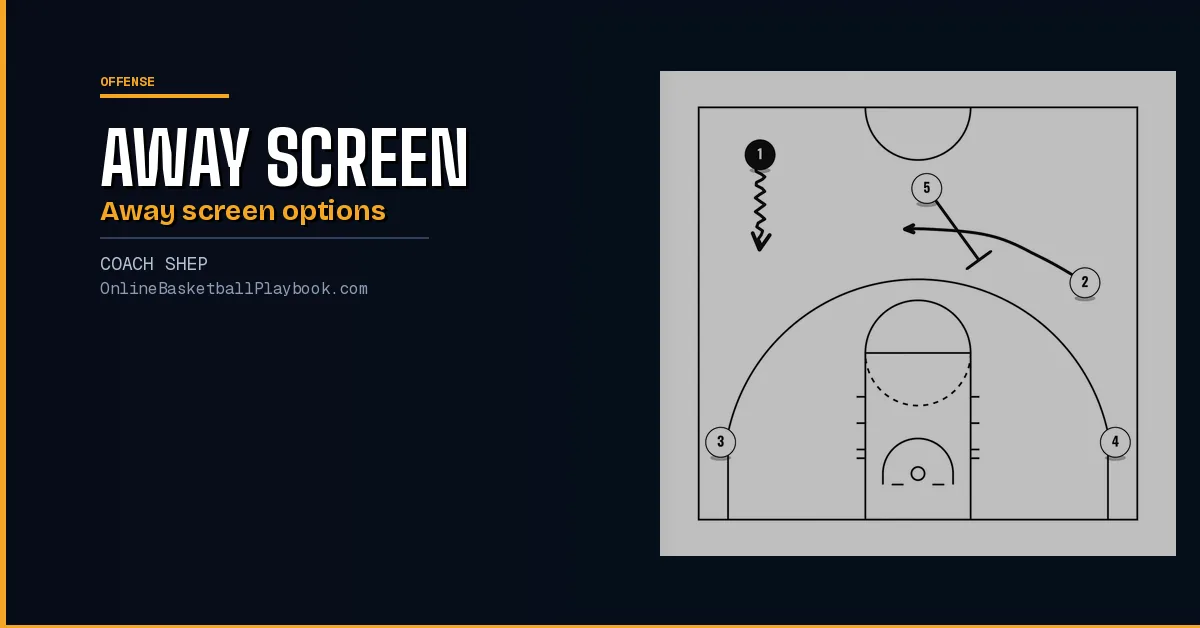
An away screen in basketball is a screen set on the side of the floor away from the ball. Put the ball on the right wing and the 5 goes over to screen the left wing, who comes off it toward the ball looking to score at once. This guide covers the away screen as an early action in a 5-out look, built on concepts the Golden State Warriors and Denver Nuggets use, and parts of it can be taught to teams as young as 12.
It covers who sets the screen, when and where, then six options, one for each way the defense plays it: the Curl, the Turn, the Back Cut, the Throw and Go, Changing the Angle and the Toss Game. The passer screening away on every pass is a different idea, covered on the 5 out offense.
What the Away Screen Is
The screen is set in the opposite direction from the player with the ball. Its job is to send a cutter back toward the ball, ready to score the moment he catches. In this action the screener is the 5 and the cut comes from the wing on the far side of the floor.

The cutter reads his defender much as he would on a pin down from the wing toward the baseline. Over, under or top-blocked, each look has its own answer, and the six options below are those answers. The general reads on screens of every kind are on basketball screens and the closest cousin, the screen toward the baseline, on down screen basketball.
Who Sets It, When and Where
The 5 sets it
Coming out of transition, the 5 sets the away screen to discourage off-ball switches. When a guard screens for a guard, the defense can switch it easily and the advantage is gone. When the 5 screens, the defense might hesitate to switch, because a switch leaves a mismatch.
The 5 does not have to handle the ball well or shoot well to be very effective in this action, which makes it a good fit for a non-shooting 5. He does have to set screens, and screening can be learned. The footwork is on basketball screening technique.
After transition
5-out actions are easiest to flow into straight out of transition. The 5 is the last player into 5-out spacing, the trailer, and he arrives at the top of the key. That puts everyone in the right spots for the away screen. The cue is the point guard's dribble. If there is no hit-ahead pass early in the break and the point guard brings it across half court on a dribble push, the trailing 5 goes to set the away screen. The first seconds of the break are covered on fast break and transition offense and early offense basketball.
At the opposite slot
The screen goes at the slot on the side away from the ball. The slot is the spacing spot on the lane line extended. Set there, the screen hands the cutter room to work in the middle third of the floor, room for a catch and shoot, or for a ball screen with the 5 to follow. While 1 pushes the ball up, the 5 screens for the far-side wing from that slot.
Trailer at the top of the key, push on the dribble, screen at the far slot.
Option 1: The Curl
The curl beats the lock and trail. If the cutter's defender is attached to his hip and follows him over the top of the away screen, the cutter curls the screen.
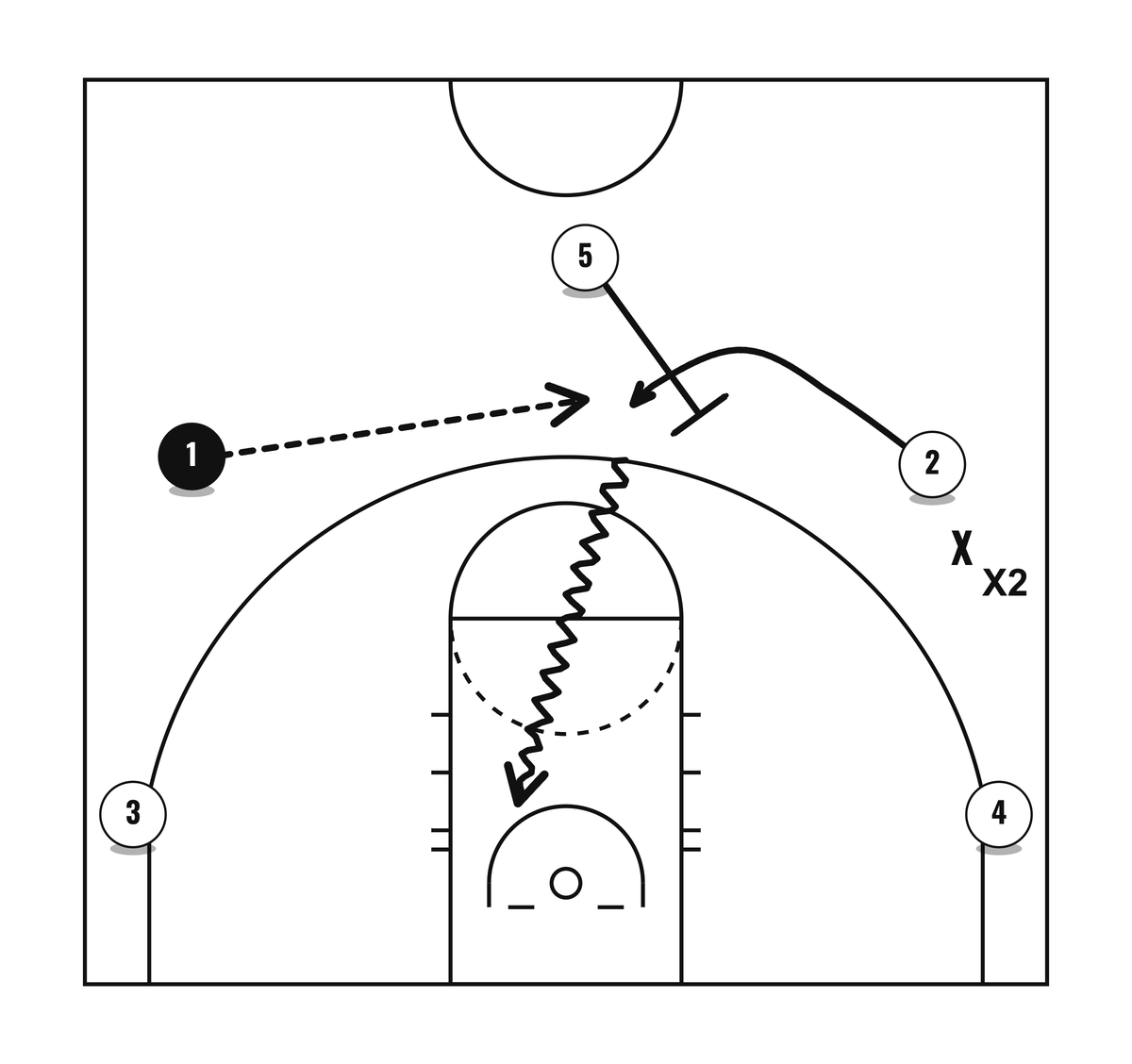
Curling puts X2 behind the cutter. That gives the cutter a positional advantage on the drive and the finish at the rim. How to run the curl off the screen is on drills to teach off-ball screens.
Lock and trail, then curl.
Option 2: The Turn Ball Screen
The Turn punishes a defender who goes under the screen. If X2 slides under the away screen and the cutter has no room to catch and shoot or to drive, the 5 turns at once into a ball screen. Two actions in a row are a lot for any defense to handle.

2 catches after popping back out high. While he pops, the 5 changes his screening angle into a ball screen for him.
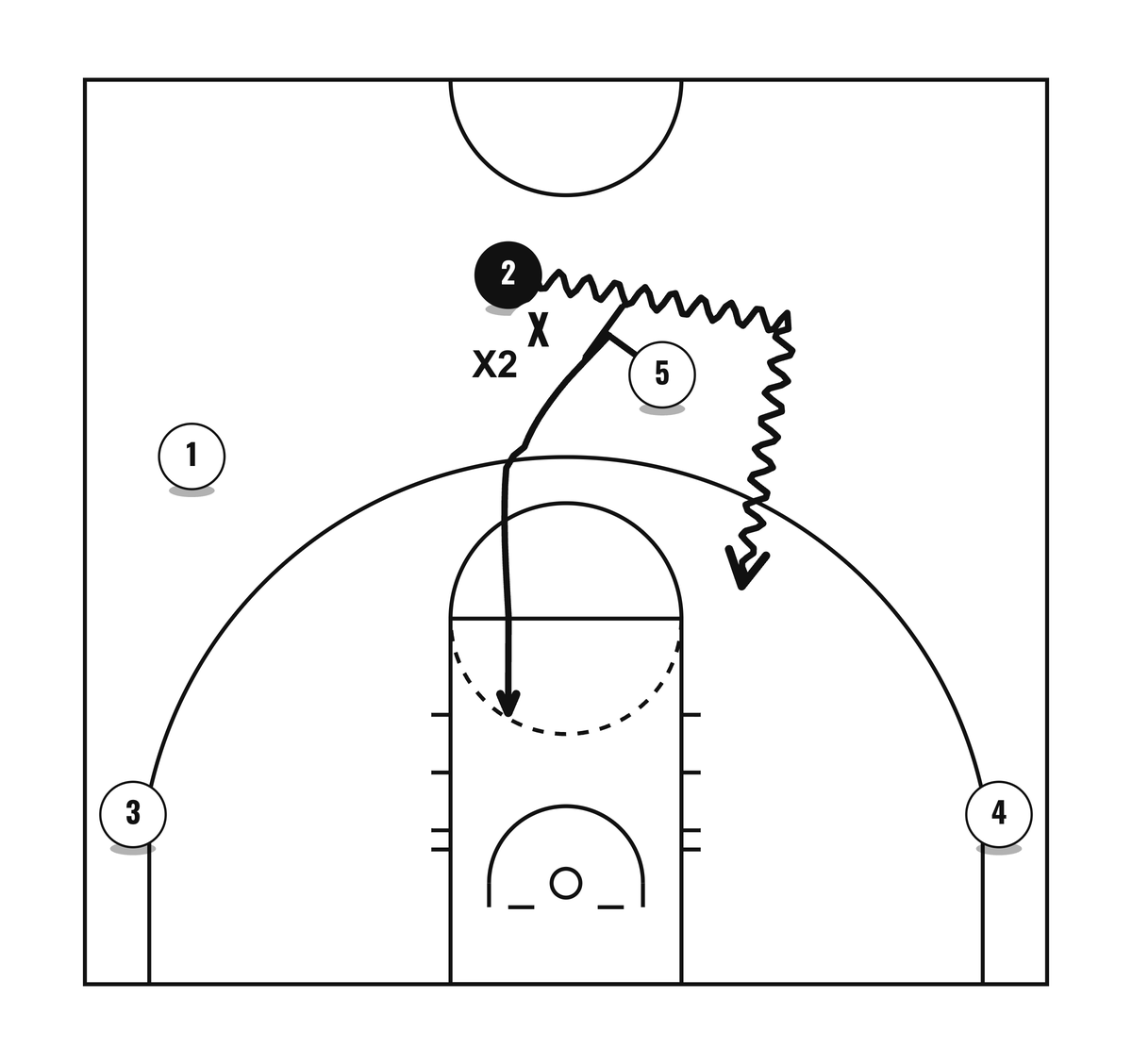
Why it works:
- Under, then over. A defender who went under the away screen is put where he has to go over the ball screen, the re-screen. That makes it more likely he gets caught and leaves a mismatch with the big defender, X5.
- The 2 on 1. If the 5 can pin X2 on his back and roll to the basket, the offense can get a 2 on 1.
- Under twice. If X2 goes under the away screen and under the ball screen as well, both defenders end up below the three-point line, and the ball handler gets open threes.
Points of emphasis:
- Make it automatic. The Turn can be an automatic any time the cutter's man slides under to take away the curl.
- Screen near the arc. Set the ball screen right up against the three-point line, so the defender has to go over it.
- Use it anywhere. The 5 can turn into a ball screen any time he sets an off-ball screen, anywhere on the floor.
The ball-screen reads that follow are on pick and roll reads, and the defender's side of going under is on how to go under a ball screen. Under once, turn and screen. Under twice, shoot the three.
Option 3: The Back Cut
Your best scorer could be top-blocked when the 5 comes to screen. A top-block is a defender playing aggressively on top of the cutter to deny him the off-ball screen. The answer is an immediate back cut away from the pressure.

Points of emphasis:
- Do not dance. Dancing is a string of abrupt moves where the cutter never commits to the back cut or to the screen. It throws off the timing of the pass.
- Step away from the rim first. Walk the defender a step up, off the rim and in the direction of the screen, then cut back hard. That setup gives the cutter more room to catch the bounce pass.
- Cut, do not fight. A cutter facing off-ball pressure back-cuts it rather than fighting it.
Back cuts against denial in general are on cut or backdoor, reading the denial and backdoor triggers. One step up, then go.
Option 4: The Throw and Go
Great scorers get top-blocked, and sometimes the back cut is not open either. Then the point guard and the 5 keep the ball moving with a Get, also called the Throw and Go. A Get is a pass and a hand back, usually between a guard and a big, and it combines what a ball screen and a dribble hand-off each do.

The sequence:
- 5 goes to set the away screen.
- 2 back-cuts the top-block.
- 5 pops back out high.
- 1 throws it to the 5 and sprints over for the hand back.
- With the ball back in 1's hands, he and the 5 can go into a ball screen.

The Get makes decisions easier for players under 16. Youth teams can struggle to set up their defenders off the dribble before a ball screen. With the Get the guard passes, sprints to get the ball back, and both players arrive in position for the ball screen with no live dribble needed. That simplifies the reads for the guard and the 5 alike. More hand-off work is on the dribble hand-off. Below 14, one youth approach leaves ball screens out altogether, covered in the section on 12 to 14 year olds.
Throw it, chase it, get it back. The ball keeps moving even when the cutter is covered.
Option 5: Changing the Angle
Most of the time the away screen brings the cutter up high. But spacing decides the screening angle. When the cutter is not on the wing, a normal away screen is hard to run well, because his defender can simply go under it and still guard him.

So instead of the 5 setting the away screen first, 2 skips the ball to 1. Because 2 is out of the wing spot, the 5 changes the angle and sets a back screen instead, his back facing the rim.

The rule of thumb for any screening angle: aim the screener's back at the spot the cutter should reach. Here it points at the rim, so the cutter catches going downhill toward the basket. The full back screen is on back screen basketball. Let the cutter's spot pick the angle.
Option 6: The Toss Game
The Toss Game is a second answer when the cutter's man slides under the away screen. It is a fast flip of the ball from one guard to the other, like the toss back in rugby, and it adds misdirection. The diagrams show it with the ball starting on the left side.

2 cuts off the away screen and catches. With X2 under the screen, he does not hold the ball. He tosses it straight back to 1 and relocates to the left wing.

At the same moment the 5 turns into a ball screen. The ball keeps moving, and the point guard is back in a ball screen with the 5.

Points of emphasis:
- It hides who gets the ball screen. The cutter can keep the ball and play the ball screen with the 5 off the Turn, or toss it back to the passer. Disguising who plays the ball screen creates misdirection and confusion for the defense.
- It gets the ball to your best ball handler. If the cutter is not a good pick and roll player, the toss back puts the point guard in the ball screen instead.
Keep it or toss it, but never hold it. The pick and roll itself is on pick and roll.
Keep the Ball Hot
Steve Kerr's phrase for this is "keep the ball hot." Once the ball sits, the advantage is gone. Kerr wants it moving by passes or dribble hand-offs, treated like a hot potato that goes from hand to hand to make an advantage or hold on to one.
The away screen makes the first advantage for the scorer. The ball movement after it is what cashes that advantage in. The Get and the toss back are two ways the ball moves on after the away screen. Golden State's own early actions are on Golden State Warriors plays.
Teaching Order
Spacing comes before everything. Whatever concepts a team runs, the question is whether the spacing stops one defender from guarding two offensive players. The concepts can also double as player development. Break the away screen down by how the defense guards it, over, under or switching, and give players the answer for each way, so they learn to keep the ball moving whatever the defense does. Playing it 3 on 3 teaches both off-ball screen and ball screen concepts from one action. More 5-out breakdowns are on drills to teach the 5 out motion offense.
1. The Curl and the Forced Curl
Teach the Curl first. Space the wing players up high and out wide, over the three-point line extended instead of down level with the free-throw line. Standing at 45 degrees to the basket there, the cutter is set up to curl and catch on the way downhill.

A Forced Curl is a curl run even though the defender went under the screen. It can still produce a scoring chance surprisingly often. It also gets the point guard and the 5 ready for the Throw and Go, the next step after the away screen, and it keeps the ball moving, which makes the defense move.
2. Back Cut, Changing the Angle, Throw and Go
These can be brought in as they come up on their own in 3 on 3 breakdown drills, for example when the away screen gets top-blocked. The spot of the player being screened decides which one to teach:
- Closer to half court. The screener's back is toward the rim, so it is a good moment to teach Changing the Angle for a back screen.
- Closer to the wing spot. The screener's back already faces the top of the key, so it is a good moment for the Back Cut and the Throw and Go.
3. The Turn
Once players read the defender correctly on the first two steps, add the Turn. A defender sliding under the away screen is the cue for the 5 to turn and screen the ball.
4. The Toss Game
When players cut off the away screen consistently, add the Toss Game. The cutter now has two choices: keep it and play the ball screen once the 5 turns, or toss it back to the point guard, who then gets the ball screen from the 5.
From there it is reps, reps and more reps.
The Away Screen for 12 to 14 Year Olds
One youth approach leaves ball screens out entirely before age 14. The aim is efficient 1 on 1 players first, so they do not come to depend on ball screens to make space at a young age, which can slow the growth of the 1 on 1 skills they need at the next level.
That does not mean isolation. 1 on 1 should not happen in isolation and the ball should not stick with one player. Players this age use an action like the away screen to make space on the catch, then use their 1 on 1 skills in that space. If the away screen leaves no advantage to shoot or drive, the ball moves to the next player and the off-ball defense has to adjust.
The base is the first-touch decision: shoot, drive or pass, decided the instant the catch is made, a one second decision with no pause. This is the modern triple threat:
- Shoot when open.
- Drive against a defender who is off balance.
- Pass when there is no edge, or a teammate has the better look.
The old triple threat holds the ball still and cuts down the time a player has to use an advantage. The stance itself is on basketball triple threat position and more on this age group on coaching youth basketball. Catch, decide, go.
Questions Coaches Ask
What is an away screen in basketball?
A screen set away from the ball. Ball on the right wing means the 5 screens the left wing, who comes back toward the ball looking to score right away.
Who should set the away screen?
The 5. A guard screening for a guard is easy to switch, while a defense might hesitate to switch the 5's screen because of the mismatch. Shooting and ball handling are optional for him. Screening is not.
Where should the away screen be set?
At the slot, the lane line extended, on the side away from the ball. From there the cutter has the middle third of the floor to shoot on the catch or to work a ball screen with the 5.
What does the cutter do if his defender goes under the away screen?
He pops out high and the 5 turns to screen for him (the Turn), or he flips it right back to the passer, who then gets the ball screen (the Toss Game). He can also curl anyway, the Forced Curl.
What is a Get in basketball?
A pass and hand back, usually between a guard and a big. The guard throws to the 5, runs right over for the hand back, and the pair can go into a ball screen with no live dribble needed to set it up.
What is the difference between an away screen and a back screen?
The angle. An away screen usually sends the cutter toward the top of the key. A back screen has the screener's back to the rim, so the cutter goes downhill toward the basket. The 5 changes the away screen into a back screen when the cutter is out near half court instead of on the wing.
Every diagram on this page uses the symbols on how to read a basketball play diagram. The away screen is one of the actions on basketball offense.
Get the next coaching guide in your inbox
One email when a new guide or diagram set goes up. Free.
Want the printable playbook packs?
Playbook packs: zone attack, press break, press defense, out of bounds, quick hitters, practice plans and the youth turnover cure, each a printable PDF. Or draw your own version free in PlayDraw.
See the playbook packsBack to Basketball Offense and every Offense page.
Keep Building
Related breakdowns
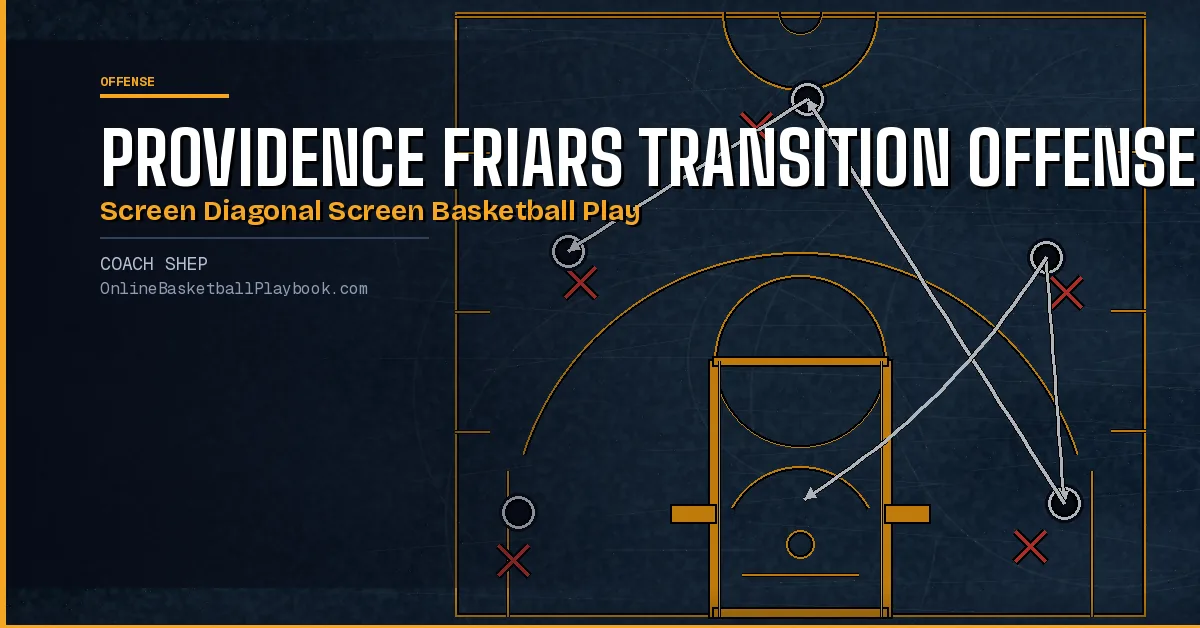
Providence Friars: Transition Offense Back Screen Diagonal Screen Play
Providence Friars: Transition Offense Back Screen Diagonal Screen Play
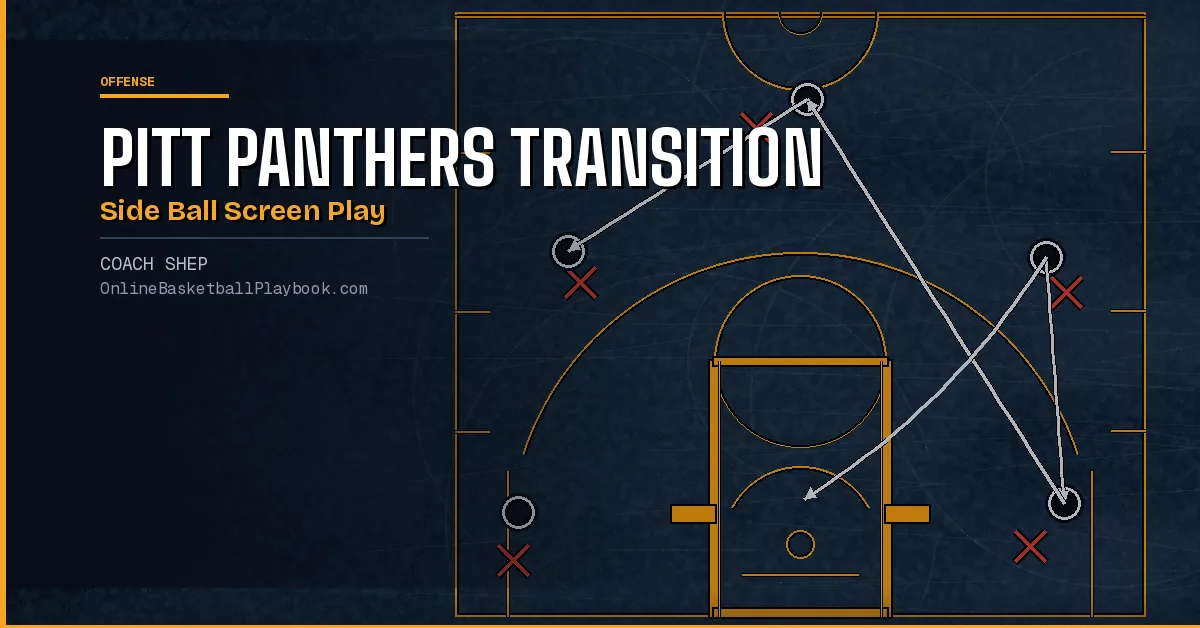
Pitt Panthers: Transition Side Ball Screen Basketball Play
Pitt Panthers: Transition Side Ball Screen Basketball Play
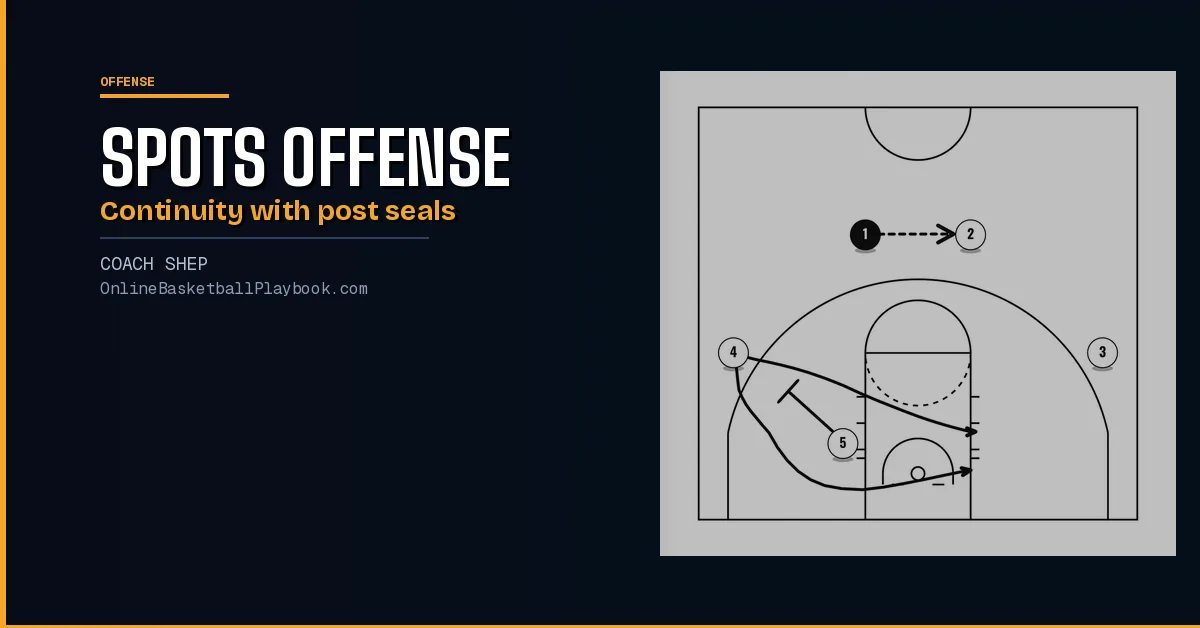
Spots Offense: Continuity, Post Seals and Screen Reads
The Spots offense drawn step by step: the set, the back screen continuity, post seals, the lane to wing pass, skips, drives, pressure releases and screen reads.